Free edition now available on Gumroad

Understand your packets.
Without the noise.

Drop in a .pcapng or .pcap capture file and get a full interactive breakdown in seconds — protocols, traffic timelines, DNS, TLS, anomalies, and more.

Download free View Pro →
6+ Interactive charts
1 GB Max file size (free)
25+ Threat detectors (Pro)
100% Local processing

Everything in one view

A full analysis dashboard built for clarity. All processing happens locally — no data ever leaves your machine.

Protocol breakdown

Bar charts and raw counts for every protocol in the capture — from Ethernet down to TLS.

Traffic over time

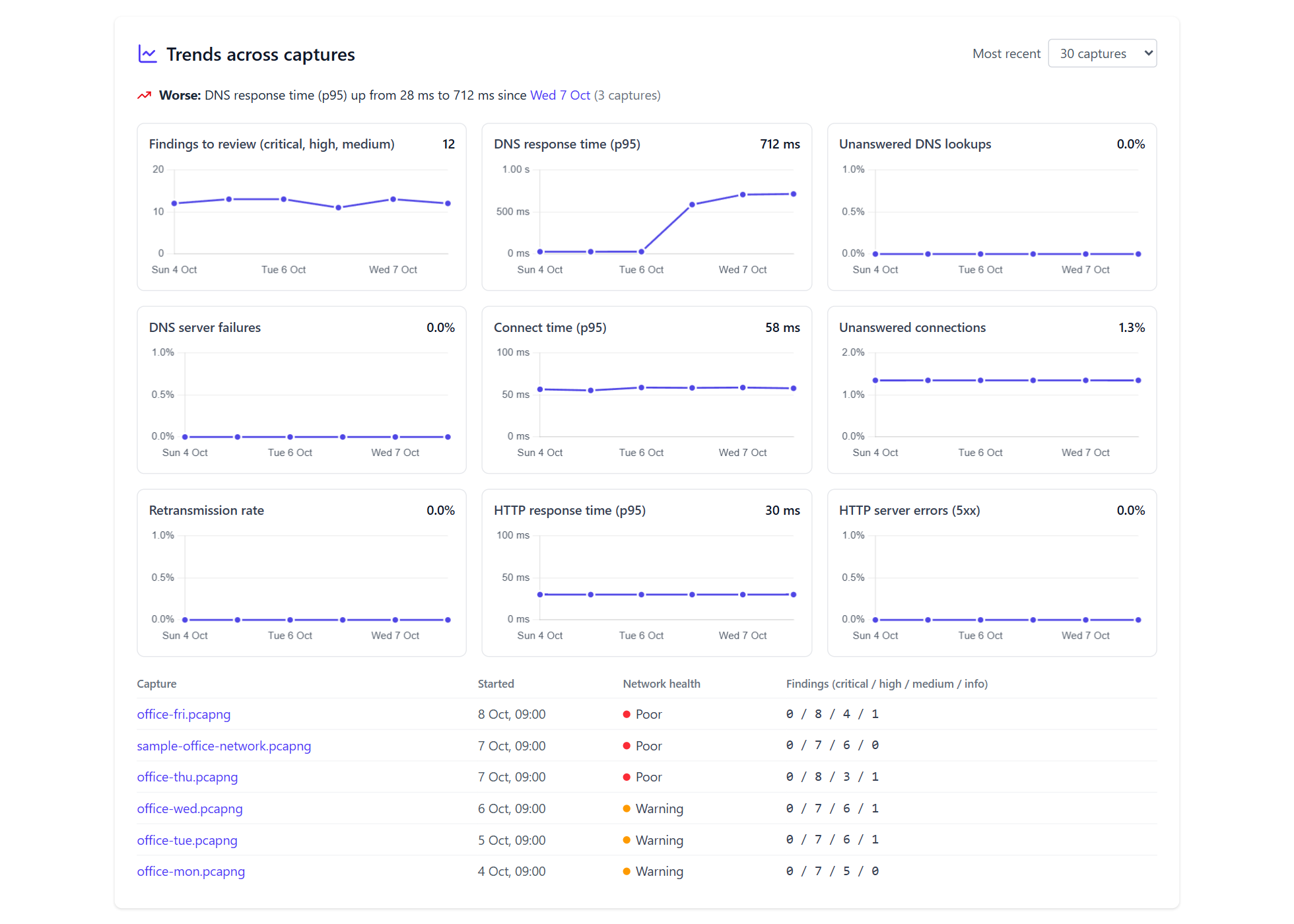
Dual line charts showing packets per second and bytes per second across the full capture window.

App-layer decoding

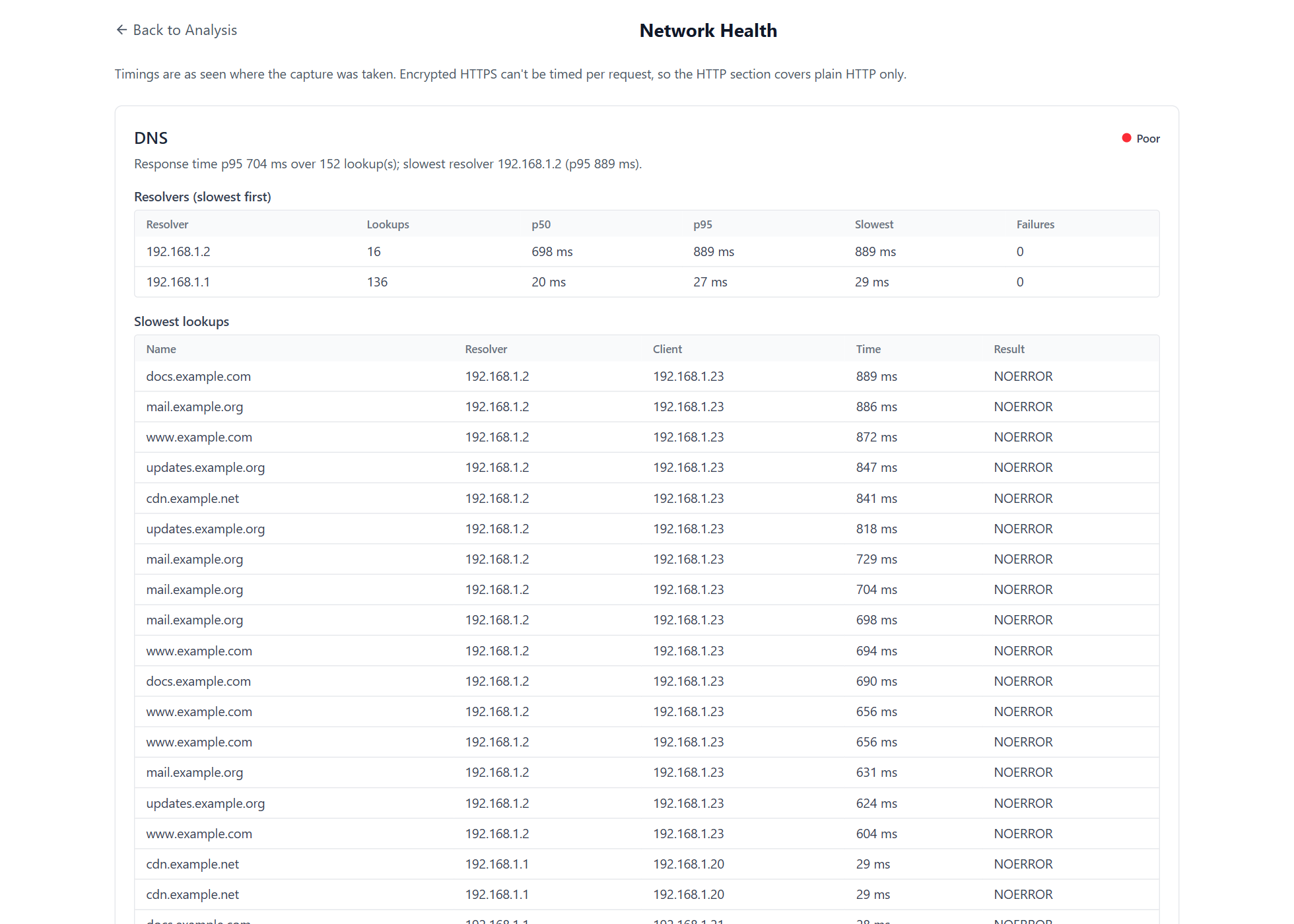
DNS query names, HTTP hosts, and TLS SNI server names extracted and ranked automatically.

Packet list & filtering

Paginated table of all packets with per-row detail modal. Combine filters by protocol, IP, and port.

Top talkers & conversations

Source/destination IPs, MACs, ports, and IP-pair conversations all ranked by packet count.

TCP flag analysis

Horizontal bar chart breaking down SYN, ACK, FIN, RST, PSH, and URG counts across all TCP traffic.

TTL distribution

Breakdown of IP TTL values across the capture — useful for OS fingerprinting and anomaly spotting.

Analysis history

Persistent list of past analyses with one-click re-open, re-analyze, or delete. Auto-prune when limits are reached.

JSON & CSV export

Download the full analysis result as a JSON file or structured CSV for use in other tools.

Free to start. Pro when you need it.

The free edition covers everyday analysis tasks. Pro adds batch processing, deep packet inspection panels, 25+ threat detectors, capture comparison, cross-file correlation, watched folder auto-analysis, configurable detection rules, and unlimited history.

Free
Community
For individuals and hobbyists
$0 forever
  • Upload .pcap and .pcapng files (up to 1 GB)
  • Protocol, IP, port & MAC breakdown
  • Traffic over time charts
  • DNS queries & RCODE breakdown, HTTP hosts, TLS SNI & version
  • Packet list with filtering & detail modal
  • JSON & CSV export
  • Analysis history (last 25 files)
  • Dark & light mode
  • Lightweight native desktop app (Tauri)
Download free
Pro
Professional
For security engineers & analysts
$34.99 / year
  • Everything in Community
  • Up to 5 GB file size (configurable via environment variable)
  • Batch upload & parallel processing
  • Unlimited analysis history
  • Deep packet inspection (DNS answers, HTTP payloads, TLS ciphers)
  • 25+ heuristic threat detectors with severity triage
  • Filter findings by severity level
  • Analyst annotations per finding
  • Per-finding PCAP slice export
  • Threat report export as JSON (findings + annotations)
  • Cross-file threat correlation
  • Watched folder auto-analysis
  • Filter packets by payload content
  • Side-by-side capture comparison
  • Configurable detection rule thresholds
Pro — coming soon

Automatic anomaly detection

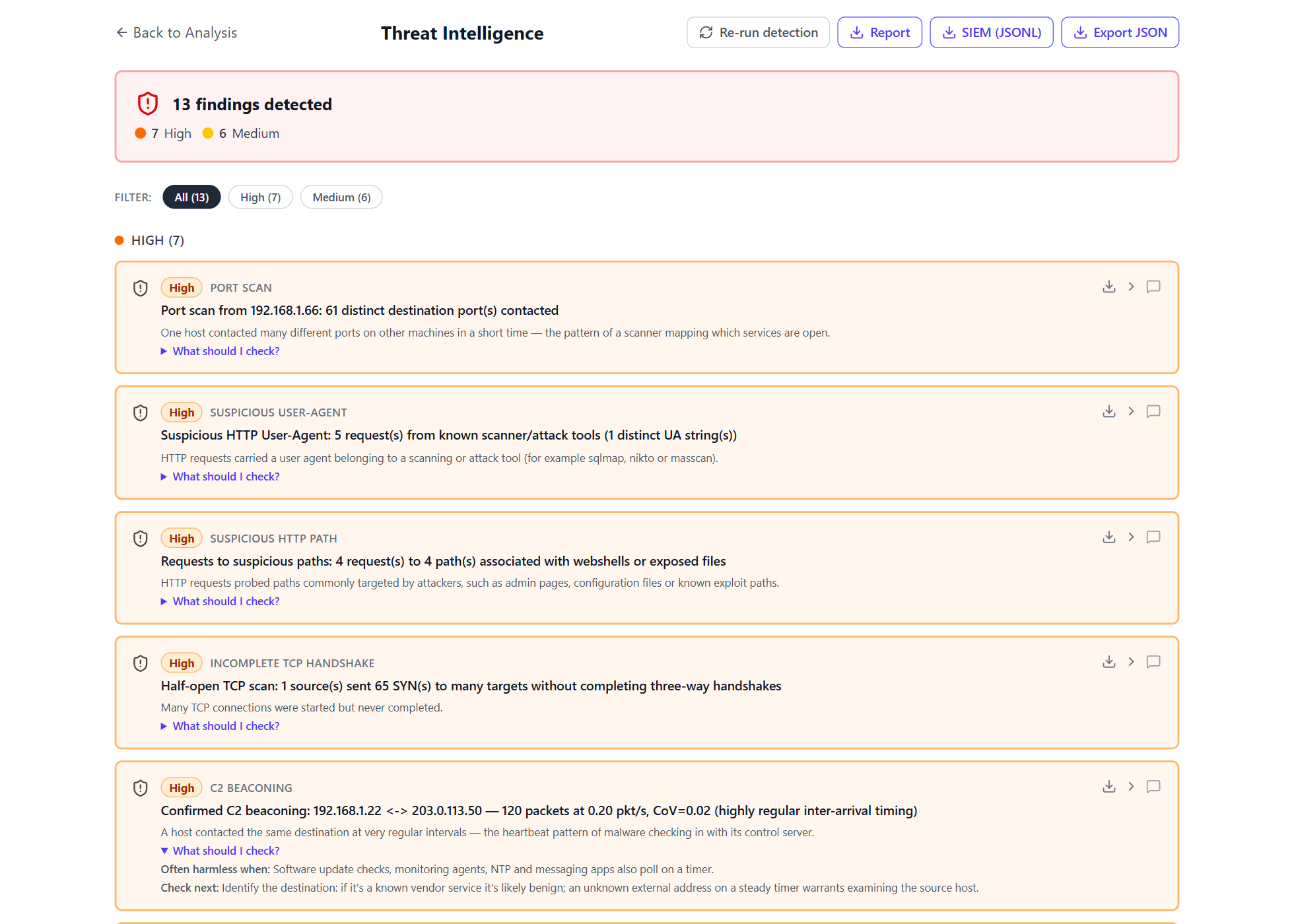
25+ heuristic detectors run after every Pro analysis. Each finding is severity-badged and links directly to the relevant packets in the packet list. Filter findings by severity to focus on what matters most.

High

Port scan

Single source IP probing many distinct destination ports in a short window.

Critical

SYN flood

SYN:ACK ratio above threshold — potential denial-of-service activity.

Medium

RST storm

Elevated RST count relative to total TCP traffic — possible scan or session hijack.

High

DNS tunneling

Unusually long query names (>50 chars) or high query frequency from a single host.

Medium

C2 beaconing

Periodic connections from the same src/dst pair at highly or moderately regular intervals.

Medium

Unusual TTL

TTLs outside typical OS ranges (64, 128, 255) — potential spoofing or scanning.

Medium

Large ICMP

ICMP packets significantly larger than 64 bytes — potential data exfiltration channel.

High

Known-bad ports

Traffic to/from common C2 ports — 4444, 31337, 1337, IRC channels, and others.

High

HTTP recon

Suspicious HTTP methods or paths suggesting directory traversal or scanner activity.

Critical

Credential exposure

Cleartext usernames or passwords visible in unencrypted HTTP traffic.

High

Weak / legacy TLS

TLS 1.0 or 1.1 sessions, or cipher suites flagged as broken or export-grade.

Medium

Suspicious user-agents

HTTP User-Agent strings associated with known attack tools or vulnerability scanners.

Free vs Pro

A quick breakdown of what's included in each tier.

Feature Free Pro
Upload .pcap and .pcapng files
Max file size 1 GB 5 GB (configurable)
Protocol, IP, port & MAC breakdown
Traffic over time charts
DNS queries & RCODE breakdown
HTTP host extraction
TLS SNI & version breakdown
Packet size statistics (min, max, avg, std dev)
Packet list with filtering
Filter by payload content
JSON & CSV export
Analysis history Last 25 files Unlimited
Batch upload & processing
Deep packet inspection (DNS, HTTP, TLS panels)
Side-by-side capture comparison
Threat intelligence & anomaly detection
Analyst annotations per finding (confirmed / false positive / under investigation)
Severity filter for findings
Per-finding PCAP slice export
Threat report export as JSON (findings + annotations)
Cross-file threat correlation
Watched folder auto-analysis
Configurable detection rule thresholds
Native desktop app (Tauri)
Local processing — no external servers